
Portal
LTO Portal Guide: How to Register in LTMS Portal Online

The LTO introduced a specific online system called the LTMS Portal to allow the general public to access its services anytime, any day. The year 2020 saw the introduction of this unified platform that allows users to avail themselves of all LTO services in a digital and contactless manner. Since its rollout, it has become an indispensable part of LTO transactions nationwide.
The LTMS portal is designed to be user-friendly on nearly all platforms: desktop, laptop, tablet, or phone. The concept is quite straightforward: whatever the device you are holding, the system must simply work. You can view your LTO records, manage requirements, and get things done whenever and wherever you want to.
Whether you’re applying for a new license, renewing documents, or checking violations, registering for an LTO/LTMS Portal account is now mandatory for most LTO transactions.
Table of Contents
What Is the LTMS Portal (LTO Portal)?
The LTMS Portal (commonly searched as the LTO Portal login or LTO portal exam portal) is a digital one-stop platform developed by the LTO to unify all motoring services into one accessible system. An online platform operating 24/7, it is designed to simplify LTO processes and make its services more accessible to customers and LTO staff alike.
It also serves as a gateway that is available 24/7, wherein users can avail several services:
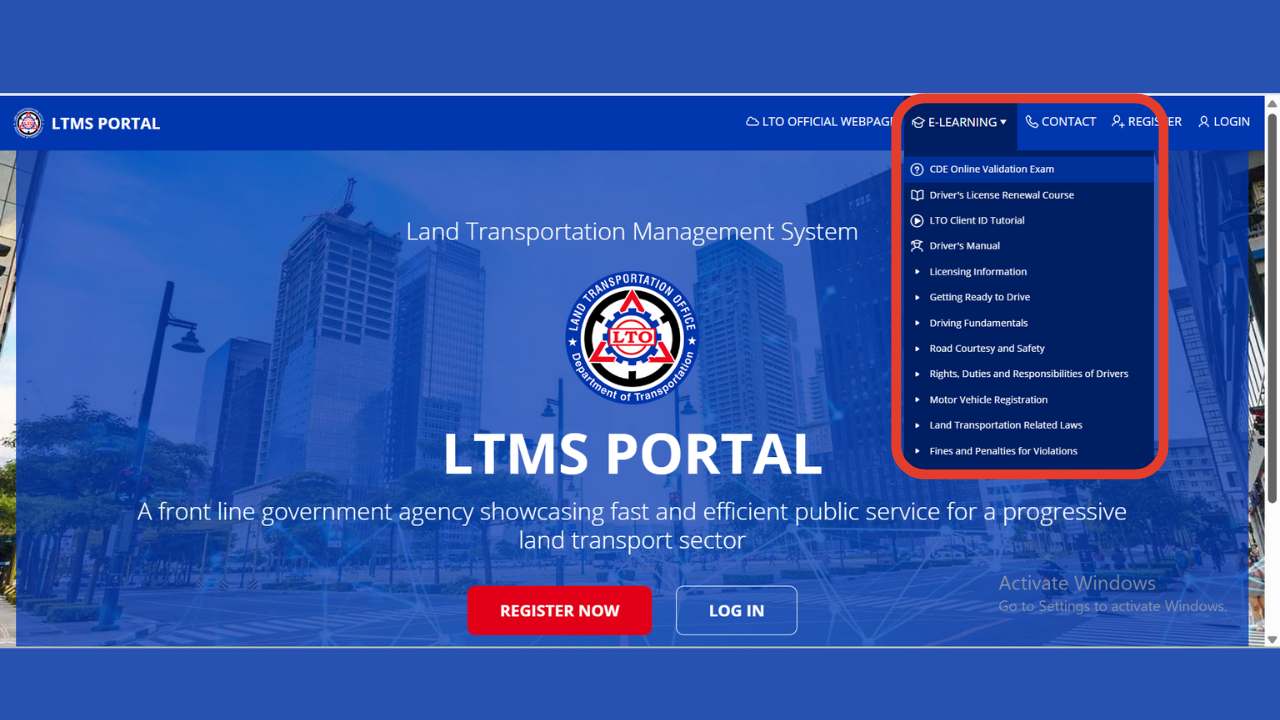
What Can You Do in the LTMS Portal?
With an LTMS Portal account, you can access the following services anytime:
- Apply for new driver or conductor permits/licenses
- Renew existing driver or conductor permits/licenses
- Change license classification (example: non-professional to professional)
- Replace lost or damaged driver’s licenses
- Convert a foreign license to a local one
- Register all types of motor vehicles
- Apply for further restriction codes or license categories
- Get Certificates of No Apprehension
- Apply for MAIRDOE accreditation (Assemblers, Importers, Rebuilders, Dealers, etc.)
- Request amendments or corrections to your records
- View unsettled violations
- Check misconduct history
- Review previous transactions
- Access IDs, permits, and other official documents
- Take the Comprehensive Driver’s Education (CDE) course
- Review for the CDE exam through videos and presentations
- Take the CDE online exam
- Pay for traffic violation fines online or at LTO offices
- Submit position papers for contested traffic violations
- Access and download licenses and official receipts
- Enroll in the Driver’s License Renewal Course
Benefits of Registering in the LTMS Portal
The LTMS portal makes it easier to handle LTO-related tasks anytime, anywhere. Among the key benefits of signing up are:
- 24/7 access to LTO services and transactions
- Better chances of passing the Theoretical Exam through e-learning modules
- Fast and easy way to obtain the CDE certificate required for licensure renewal
- Hassle-free online checking of your license status
- Safer way of managing and processing LTO documents
- Easy access to LTO credentials and records via a secure online database, anytime, anywhere
The portal also simplifies LTO portal renewal, letting you update your driver’s license online.
Who Can Register for the LTMS Portal?
The LTMS portal can be used by anyone with a decent internet connection and a device, be it a desktop, laptop, tablet, or phone. It’s especially helpful for:
- First-time applicants and holders of a current driver’s license, both Filipino citizens and foreign residents.
- Transportation companies, fleet operators, franchise holders, and transportation operators.
- Manufacturers, importers, dealers, rebuilders, and other accredited groups under MAIRDOE
- Medical clinics involved in the LTO process
- Driving schools
- Government agencies and special groups: diplomats, tax-exempt individuals, returning residents under no-dollar importation, and so on.
What You Need to Register on the LTMS Portal
To create an account in the LTMS portal, you’ll need the following:
Basic Requirements
- A stable internet connection
- Any device with internet: desktop, laptop, smartphone, or tablet
- A valid email address
- An active mobile number
Personal Information
If you already have a driver’s license but haven’t registered with LTMS yet, prepare the following:
- Driver’s or conductor’s license number
- License expiry date
- Official receipt number or your mother’s maiden name if the receipt is not available
- Full name
- Date of birth
- Gender
- Mother’s maiden name
- Emergency contact
- Medical details
- Complete home address
For Foreign Residents
- Alien Certificate of Registration (ACR)
- ACR expiry date
- Nationality
How to Register in LTMS Portal (Step-by-Step Guide)
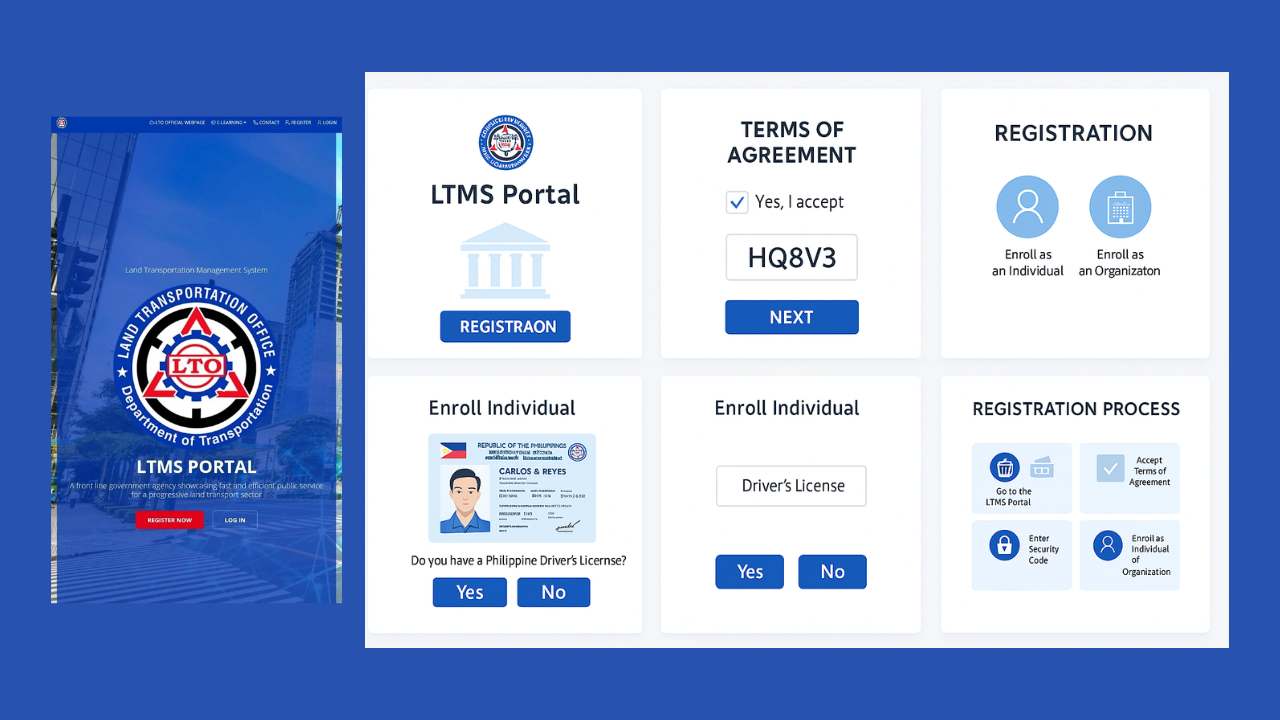
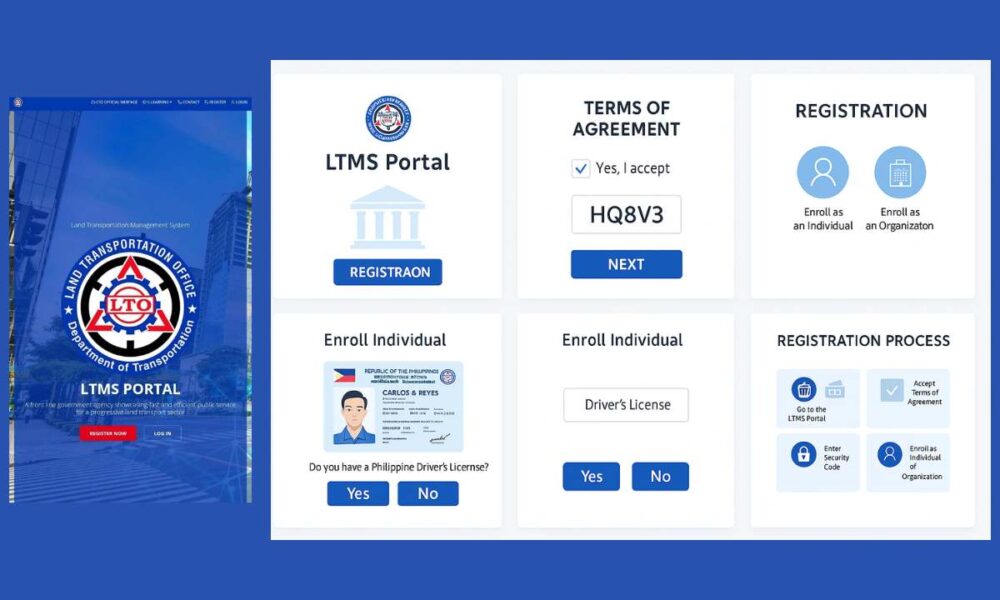
Follow these steps to create your LTMS Portal account:
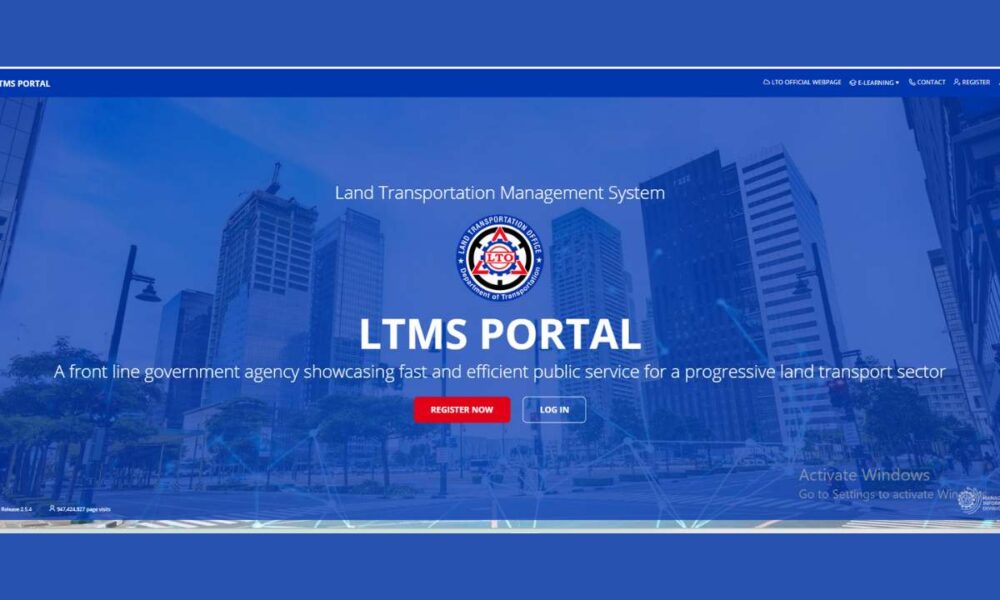
- Visit the LTMS Portal website
Go to the LTO Portal (LTMS Portal) homepage (official link).
- Click “Register Now”
This will open the account creation page to start lto portal registration
- Accept the Terms of Agreement
Tick the checkbox and click Next.
- Enter the captcha/security code
Click Next to proceed.
- Choose your registration type
In case of registering as an individual, select Enroll as an Individual.
If you are enrolling an organization or company, then you would simply click Enroll as an Organization.
Then a bar will pop up with a query if you already have a Philippine driver’s or conductor’s license. Choose Yes or No accordingly.
If you already have a license:
You must provide:
– Driver’s or conductor’s license number
Expiration date
– Official receipt number (or your mother’s maiden name if you don’t have the receipt)
– Select your nationality (Filipino or foreign), then click Next - Select whether you have an existing driver’s license
If YES, provide:
– License number
– Expiry date
– LTO issuer details
If NO, continue to fill out the form. - Open your email to verify your account
Check your inbox (or spam folder) for the verification link.
- Fill out your personal information
Click the link and fill out the remaining required details:
• Emergency contact
• Medical information
• General personal data
• Home address - Receive your LTMS Username
After filling out the form, you will receive your username, which is a 15-digit number.
- Log in to your LTMS Dashboard
Enter the user name and password received in your email and log in to the LTMS portal. As soon as you are in, you will be taken directly to your dashboard.
Your account is now active, and you can start using all LTMS services.
How to Access Your LTO Portal Login
Accessing your LTO Portal (LTMS Portal) account is simple. Follow these quick steps:
- Go to the official LTMS website: portal.lto.gov.ph
- Click Login on the homepage.
- Enter your email or LTO Client Number.
- Type your LTO portal login password.
- Click Sign In to open your dashboard.
If you forgot your password, click “Forgot Password” to reset it using your email or client ID.
Things to Keep in Mind
If you’re planning to sign up for an LTMS Portal account, here’s what’s worth knowing up front:
Frequently Asked Questions (FAQs)
No, there is no cost to create an account on the LTMS portal and to use the portal.
Because it’s the only way to access LTO’s online services. That includes renewing your license, checking your records, paying fines, and managing other requirements without going to an LTO office.
First of all, look in your spam or junk mail. In case it is not there, then give it some time and re-open your mailbox. Still nothing? Make a second attempt at sending the email or re-register with the same address.
Yes, you can update it in your account settings once you’re logged in. If you’re locked out or having trouble, contact LTO support for help.
Head to the login page and click Forgot Password. Enter your email, and you’ll get a reset link with the steps you need.
You can access your IDs, permits, official receipts, and all your license, violation, and transaction records in one place.
Yes. Anyone with a device and an internet connection can use the portal. Just note that a few processes still require a visit to specific LTO branches.
Once you’re registered, you can:
• Apply for or renew your driver’s license
• Register your vehicle
• Take the CDE exam and review lessons
• Check your transaction history and any violations
• Pay fines
• View or download your documents
In short, most major LTO services are already online.
Contact Information – LTO
- Website: LTMS Link | Official Link
- LTO Offices: Locations Link
- Email: clientcare@lto.gov.ph
- Phone: (632) 922-9061 to 66
- SMS Hotline: Text LTOHELP to 2600 (charges apply)
Final Words
The LTMS Portal is now the future of LTO transactions—cutting down processing time, removing long queues, and allowing faster service delivery. Registering for an account is easy, quick, and completely free. With your LTMS account, you can access all LTO services anytime, anywhere.
-
lto portal registration online
-
Lto Portal
-

Lto Portal Login





-
 Online Services6 years ago
SimpleNote Reviews, Features and Pricing
-

 Gaming11 months ago
Download Prod keys Ryujinx & Yuzu latest version Emulator
-
 Gaming4 years ago
Nintendo Switch Firmwares Updates | YUZU & Ryujinx
-
 Technology6 years ago
HOW TO FIND GRAHM AND ROUTE IN FALLOUT 76
-
 Online Services6 years ago
LittleSnitch Network Monitor | Lock down Network Traffic
-
 Online Services6 years ago
Windows Home Server Review, Features and Pricing
-
 Online Services7 years ago
FMovies Reviews, Features and Pricing | Online Movies Platform
-
 Technology6 years ago
Avira Phantom VPN for Mac