
Portal
LTO Portal Guide – Login, Registration, License Renewal & Appointment Booking (2026)
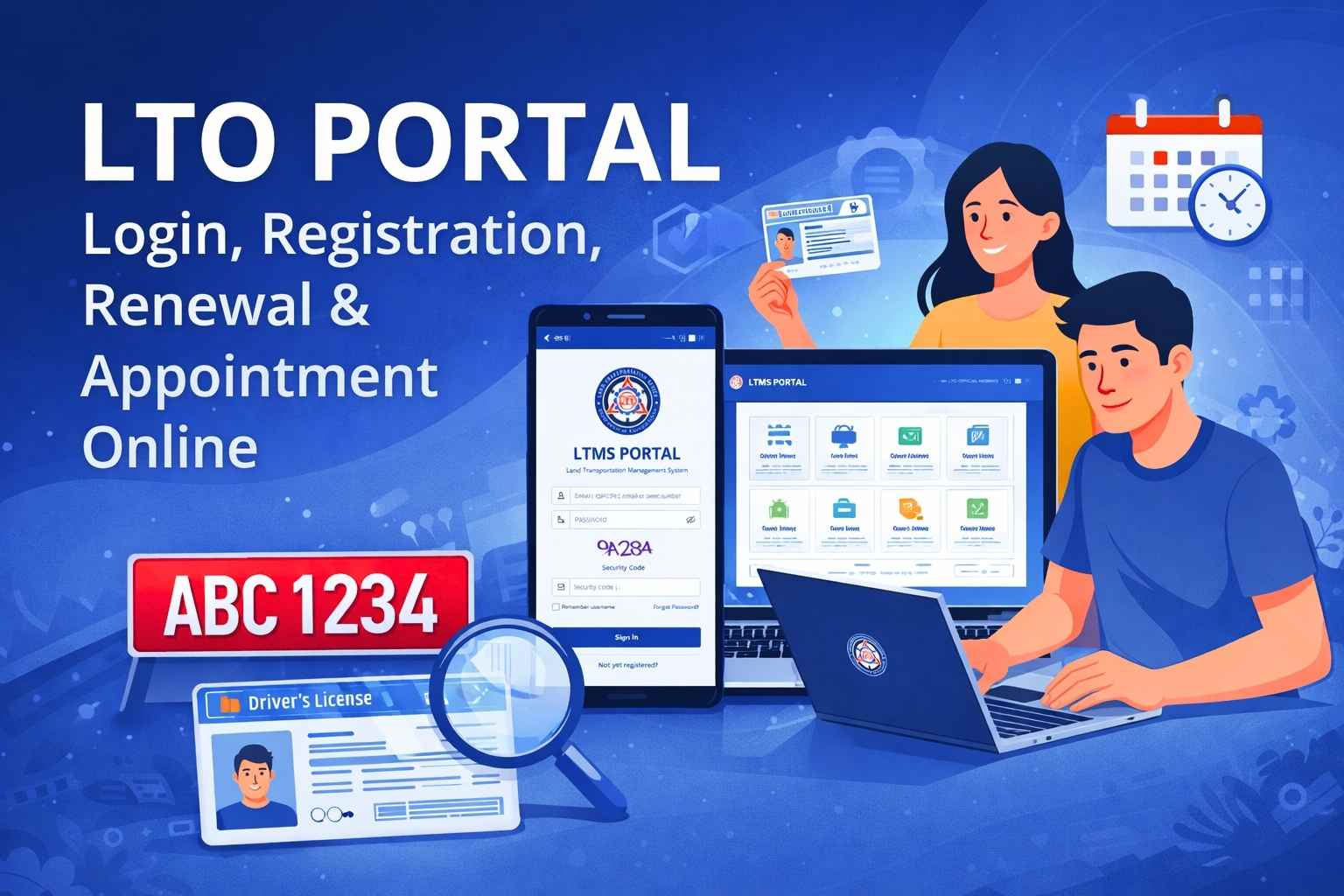
Managing your license or vehicle at an office used to mean long lines and half-day waits.
Now, almost everything can be done online through the Land Transportation Office (LTO) Portal, also called the LTMS Portal.
With one account, you can:
✅ Login anytime
✅ Register online
✅ Renew your driver’s license
✅ Book appointments
✅ Pay fines and fees
✅ Track records and plates
This guide shows everything step-by-step in one place.
Table of Contents
What is the LTO Portal (LTMS)?
The LTMS Portal is the official online system where drivers and vehicle owners manage all LTO services digitally.
Instead of visiting branches, you can handle transactions from your:
• Phone
• Laptop
• Tablet
• Desktop
Available 24/7.
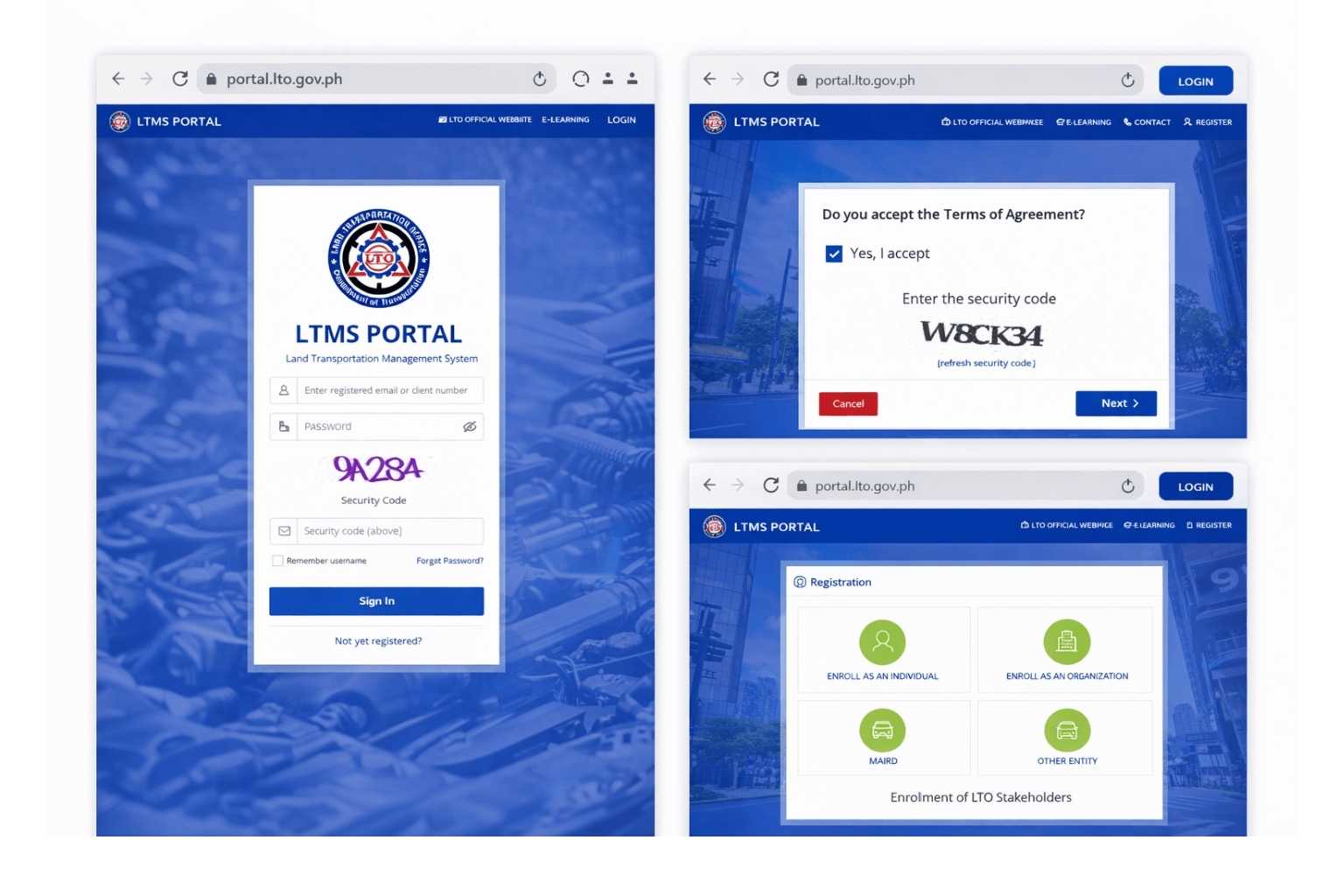
✅ Part 1 — LTO Portal Login
If you already have an account:
Steps to Login
- Visit 👉 portal.lto.gov.ph
- Click Login
- Enter email/username
- Enter password
- Click Sign In
You’ll access your dashboard instantly.
Forgot Password?
- Click Forgot Password
- Enter email
- Open reset link
- Create new password
- Login again
Takes less than 2 minutes.
✅ Part 2 — LTO Portal Registration (Create Account)
Don’t have an account yet? Registration is FREE.
Requirements
• Email address
• Mobile number
• Valid ID
• License number (optional)
Registration Steps
- Go to portal.lto.gov.ph
- Click Register
- Choose Individual
- Fill details
- Verify email
- Create password
Done — your LTMS account is ready.
Check Also: Full Registration Guide
✅ Part 3 — Renew Driver’s License Online
No need to line up for hours anymore.
Most steps are now online.
What you can do online
• Fill renewal form
• Take CDE course
• Upload details
• Pay fees
• Schedule branch visit
Only biometrics/photo requires in-person visit.
Renewal Steps
- Login
- Driver’s License → Renewal
- Complete CDE
- Pay online
- Book appointment
- Visit branch for biometrics
Total branch time: usually under 30 minutes.
✅ Part 4 — LTO Appointment Booking
Appointments help you skip long lines.
Steps
- Login
- Click Appointments
- Choose service
- Select branch
- Pick date & time
- Confirm
Just show confirmation email when you arrive.
Fast and hassle-free.
Services Available After Login
| Service | What you can do |
|---|---|
| License renewal | Renew or replace |
| Vehicle registration | Update or renew |
| LTO Plate tracking | Check release |
| Violations | View & pay fines |
| Payments | Online receipts |
| Records | Driving history |
Common Problems & Fixes
| Issue | Fix |
|---|---|
| Can’t login | Reset password |
| No email received | Check spam |
| Site slow | Try off-peak hours |
| Account locked | Wait 20 mins |
| OTP not received | Check signal |
✅ Safety Tips
⚠️ Only use portal.lto.gov.ph
⚠️ Never share password/OTP
⚠️ Avoid fixers
⚠️ Registration is free
Scams are common — always use official links.
LTO Online Service Fees (Estimated)
People always search “How much is LTO renewal?” — so adding pricing helps ranking.
Service Estimated Fee License renewal ₱585 – ₱685 Student permit ₱250 – ₱300 Duplicate license ₱225 – ₱300 Registration renewal varies by vehicle Fines depends on violation
⚠️ Fees may change. Always check inside your LTMS dashboard.
✅ FAQs
Can I renew my license without visiting LTO?
Most steps are online, but biometrics require a quick visit.
Is the LTO portal open 24/7?
Yes, you can login anytime.
Can I pay penalties online?
Yes, directly from dashboard.
Is registration free?
Yes, 100% free.
Can I use one account for multiple vehicles?
Yes.
Can I track my plate inside LTMS?
Yes, or use the plate tracker tool.
What browser works best?
Chrome or Edge.
✅ Final Thoughts
The LTO Portal (LTMS) gives drivers full control over licenses, vehicles, and payments online. Login, register, renew, and book appointments — all from home.
No long lines. No stress. Just faster service.
LTO Portal (LTMLS) Video GUIDE




-
 Online Services6 years ago
SimpleNote Reviews, Features and Pricing
-
 Gaming4 months ago
Download Prod keys Ryujinx & Yuzu latest version Emulator
-
 Technology5 years ago
HOW TO FIND GRAHM AND ROUTE IN FALLOUT 76
-
 Online Services6 years ago
LittleSnitch Network Monitor | Lock down Network Traffic
-
 Online Services6 years ago
FMovies Reviews, Features and Pricing | Online Movies Platform
-
 Technology6 years ago
Avira Phantom VPN for Mac
-
 Online Services6 years ago
Krita Reviews, Features and pricing | Edit photo online free
-
 Gaming3 years ago
Nintendo Switch Firmwares Updates | YUZU & Ryujinx